Most SaaS ideas arrive after the easy opportunity is gone. By the time a problem is obvious, the market may already have polished competitors, crowded search results, and a dozen lookalikes.
Better opportunities often show up earlier: in small tools, new search behavior, and repeated frustrations that people have not packaged into a category yet.
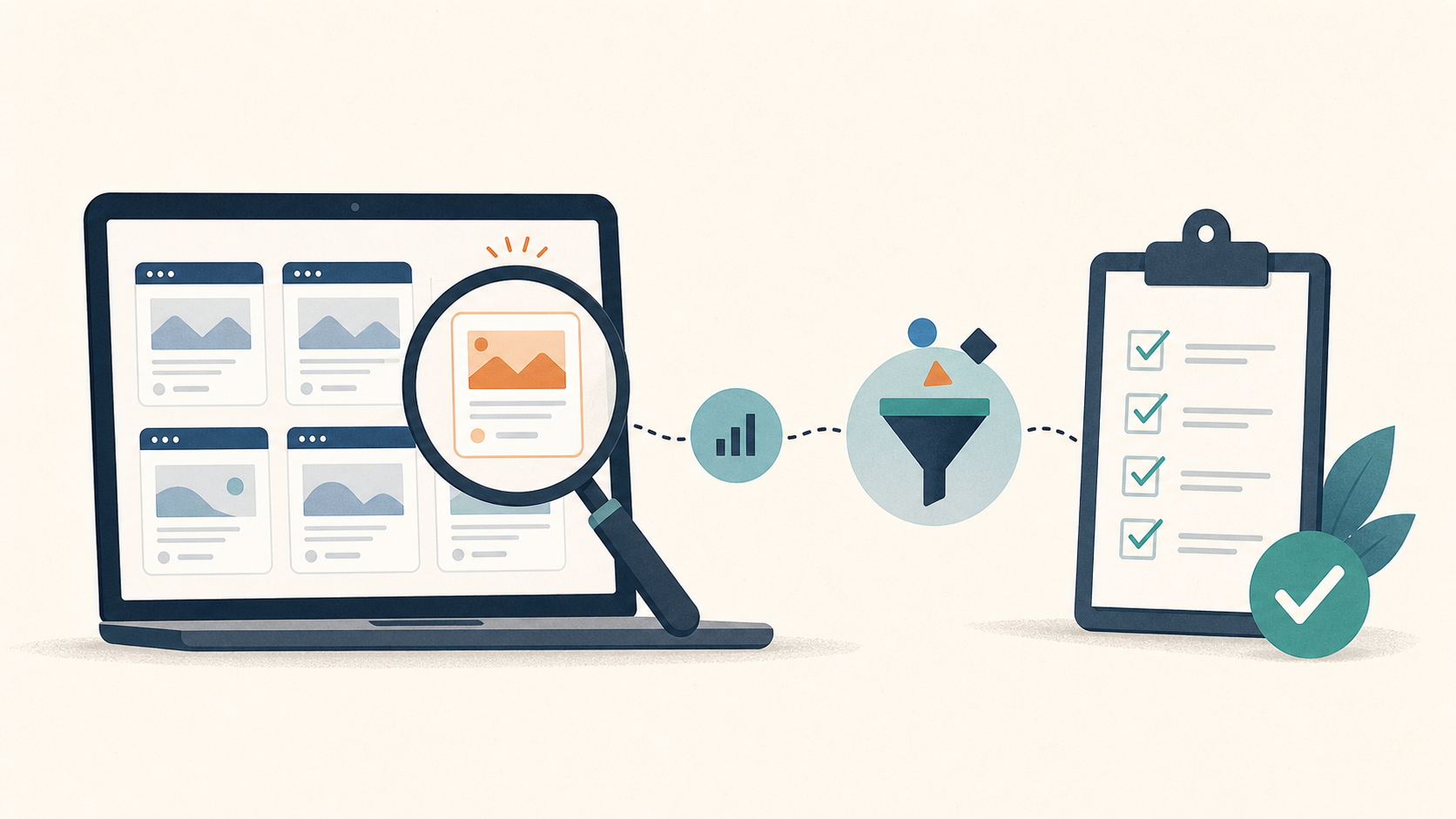
This guide gives you a six-step research loop for finding those early signals. You will use web signals, search results, trends, and real user conversations to decide whether an idea deserves more time.
One useful place to look is vercel.app. Vercel gives deployments a vercel.app address, while recommending that production projects use a custom domain. That means the public subdomains you can see are a messy mix of early products, experiments, demos, and small tools. They are not a list of proven businesses. But they can be a useful research radar.
Important: this is an idea-discovery workflow, not a shortcut to a business. A public subdomain is only a clue. You still need evidence that real people have a repeated problem and may pay to solve it.
Why Vercel Subdomains Can Be Useful
Many small products appear on a deployment URL before they get a polished brand or a custom domain. Some people share those links in a community, a tutorial, or a search result. A small number start getting organic clicks.
That makes the data useful for one narrow job: finding phrases, tools, and user tasks that might be gaining attention.
Do not treat the domain as a market map. It has three big blind spots:
- Many serious products use a custom domain, so you will never see them here.
- Preview links and disabled projects create a lot of noise.
- Some visible queries are short-lived, risky, or tied to copyrighted brands.
The goal is not to find a product to clone. The goal is to notice a problem worth researching.
Step 1: Set Up the Parent-Domain View
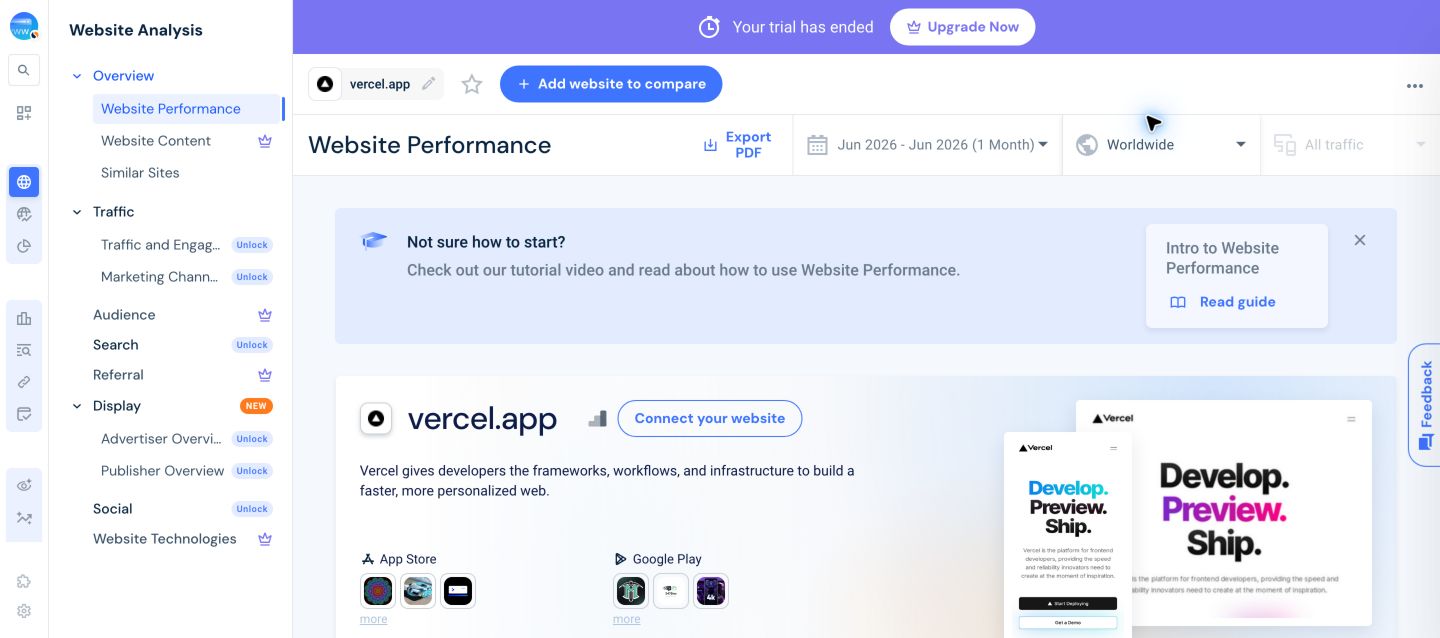
Open Similarweb and go to Website Research → Website Analysis. Search for vercel.app.
Then set these basics:
- Turn on Include Subdomains.
- Choose the country you want to serve. For a US-first product, use the United States instead of worldwide data when it is available.
- Start with the latest complete month. If the data is noisy, compare the last three months.
- Keep the site type broad at first. You are looking for leads, not a final answer.
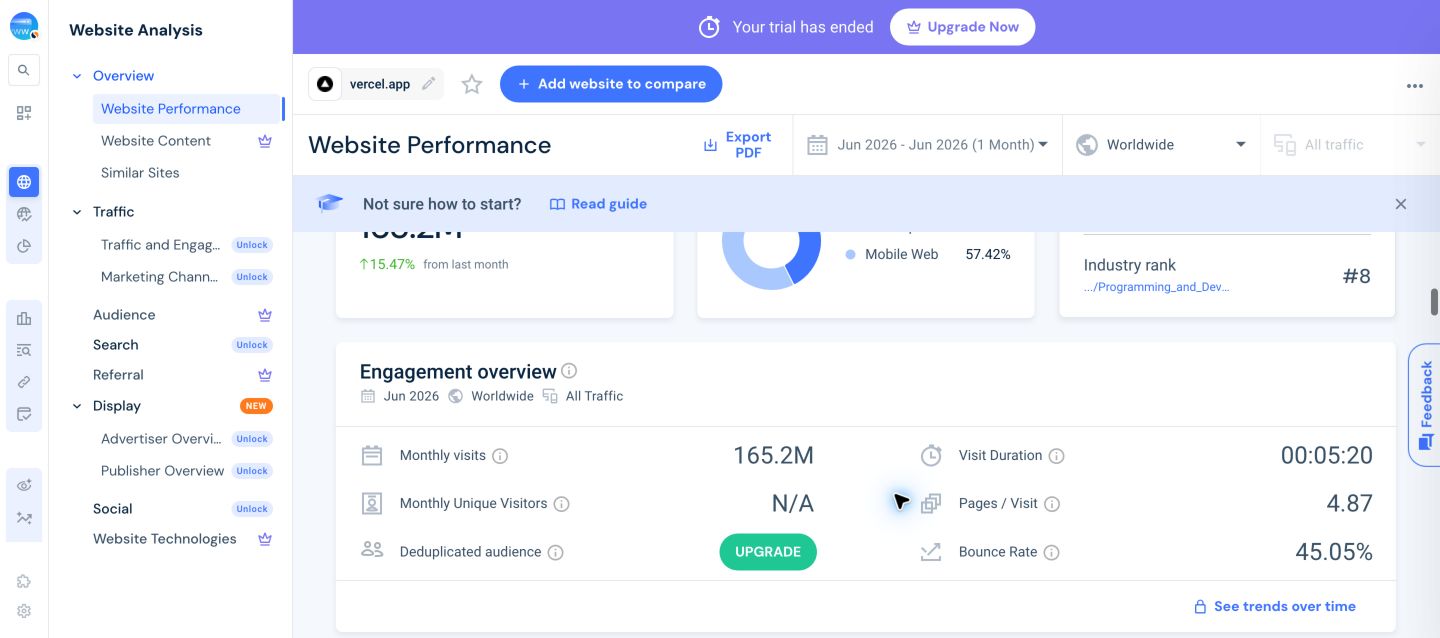
The parent-domain overview is useful because it tells you whether there is enough activity to investigate. On the current view, vercel.app has large, mixed traffic. That is exactly why filters matter: most of that traffic will not be relevant to a small SaaS idea.
Step 2: Move From Traffic to Search Signals
The next useful view is usually Website Content, Search, or Organic Landing Pages, depending on your Similarweb plan and interface. Look for a report that connects a page or subdomain to the queries that send it organic clicks.
In the current Similarweb interface, the deeper Website Content and Search reports may require a paid package. That is normal. Do not claim that a free overview can reveal the same details. If you have access, use these filters:
- Traffic source: organic search
- Time range: latest month, then compare with the prior month
- Change: new or trending clicks
- Location: your target country
- URL level: subdomain, exact URL, or landing page
Save a simple list of 20 possible leads. For each one, record the URL, the main query, the recent change, and one sentence about what the page appears to do.
Do not judge the idea yet. At this stage, you are collecting raw material.
Step 3: Translate a Tool Into a User Job
Product names are often bad keywords. A tool might be called something playful, but the user is really trying to finish a simple job.
For every lead, answer these three questions:
- Who is trying to do this?
- What are they trying to finish?
- What is frustrating about the current way?
For example, do not write down “a calendar helper.” Write down a job such as: “a solo consultant needs to send reliable appointment reminders without learning a large CRM.”
That sentence is far more useful. It gives you phrases to search, communities to visit, and a clear way to judge competing tools.
Step 4: Remove Bad Signals Quickly
This is the step that keeps the method honest. Most leads should be rejected.
Remove a lead when it is:
- a dead, disabled, or clearly private preview;
- a one-off novelty with no repeated user problem;
- a query about stolen accounts, premium cookies, piracy, or bypassing a paid service;
- a brand-owned term that you cannot build around;
- a page with traffic but no clear product or customer job.
Also be careful with sudden spikes. A sharp rise can come from a viral post, a school assignment, a meme, or a short news cycle. It may be interesting, but it is not evidence of durable demand.
After this filter, you should have five to eight leads left. That is a good result.
Step 5: Validate Each Lead in Three Places
Now test the remaining leads outside Similarweb. You want independent evidence, not more versions of the same data.
Check the search results
Search the problem phrase in Google. Look at the first page.
- Are people looking for a tool, an answer, or a tutorial?
- Do the results look old, broad, or poorly focused?
- Are there paid tools with clear pricing?
- Do the autocomplete suggestions show more specific jobs?
If every result is a strong, well-funded product with an exact solution, the gap may be small. If results are mostly generic articles, spreadsheets, or forum questions, there may be room for a focused tool.
Check the trend, not just the volume
Use Google Trends with your target country selected. You are not looking for a perfect upward line. You are looking for a query that is stable, growing, or connected to several related queries.
Short-lived excitement is not always bad. It can still support a small launch. Just do not mistake it for a long-term search market.
Check real people
Search Reddit, niche communities, app reviews, GitHub issues, and Product Hunt comments. Read the language people use when they are annoyed.
- “I keep doing this by hand.”
- “The existing tool is too expensive for one person.”
- “I only need this one feature.”
- “I have to export, clean, and re-upload this every week.”
Those comments tell you more than a clever product name ever will.
Step 6: Score the Opportunity Before You Build
Use a small scorecard. Give each item 0, 1, or 2 points.
A score of 7 or higher does not mean “build it.” It means the lead deserves a deeper customer interview, a landing page, or a small test.
A Simple Research Sheet
Keep one row for each lead. You only need these fields:
- URL or subdomain
- The user job in plain English
- Search phrase or related terms
- What changed recently
- One real user quote or complaint
- Competitors and their pricing
- Your 0–10 score
- The next smallest test
This turns random browsing into a repeatable habit. Run the process once a week, not all day. A short list of well-checked leads is better than a giant spreadsheet of shiny ideas.
Do Not Copy the Product
You can learn from a public page without copying its brand, wording, interface, code, or customer list. Look for the underlying task instead.
If a small tool is helping people turn a messy file into a clean report, the useful lesson is not “make the same tool.” The useful lesson is that people may want a faster way to clean that kind of file. Your version could serve a different audience, work with a different format, or solve the next problem in the workflow.
That is safer, more useful, and much more likely to lead to an original product.
The Quick Checklist
- Does the page point to a clear user job?
- Is there evidence beyond one Vercel URL?
- Can you find the same pain in search results or communities?
- Is there a reasonable path to payment?
- Can you explain how your approach would be different?
- Is the idea free of brand, piracy, privacy, and policy problems?
If the answer is mostly yes, you have earned the next step: talk to potential users or test a focused landing page. If the answer is no, discard it quickly and move on.
The best outcome from this workflow is not a list of copied products. It is a habit of spotting real work that people are still struggling to finish.
Related Reading
Once you have a promising lead, use the next guide to test it before you spend time building: 6 Steps to Validate a SaaS Idea Before You Build It.