

Getting retrieved is not the same as getting cited.
That difference matters more as people use ChatGPT to compare tools, learn a topic, and make professional decisions. Your page can be relevant enough to enter the system’s candidate set, yet still disappear before the final answer is written.
Ahrefs recently analysed 1.4 million ChatGPT prompts and the URLs returned around them. Its data found that roughly half of retrieved URLs were ultimately cited. The study cannot tell us exactly how ChatGPT makes each decision, and no one can promise an AI citation. But it points to a useful operating idea: a page has to win two separate moments.
First, it has to look relevant enough to open. Then, it has to contain information useful enough to cite.
This article is about improving the first moment without sacrificing the second.
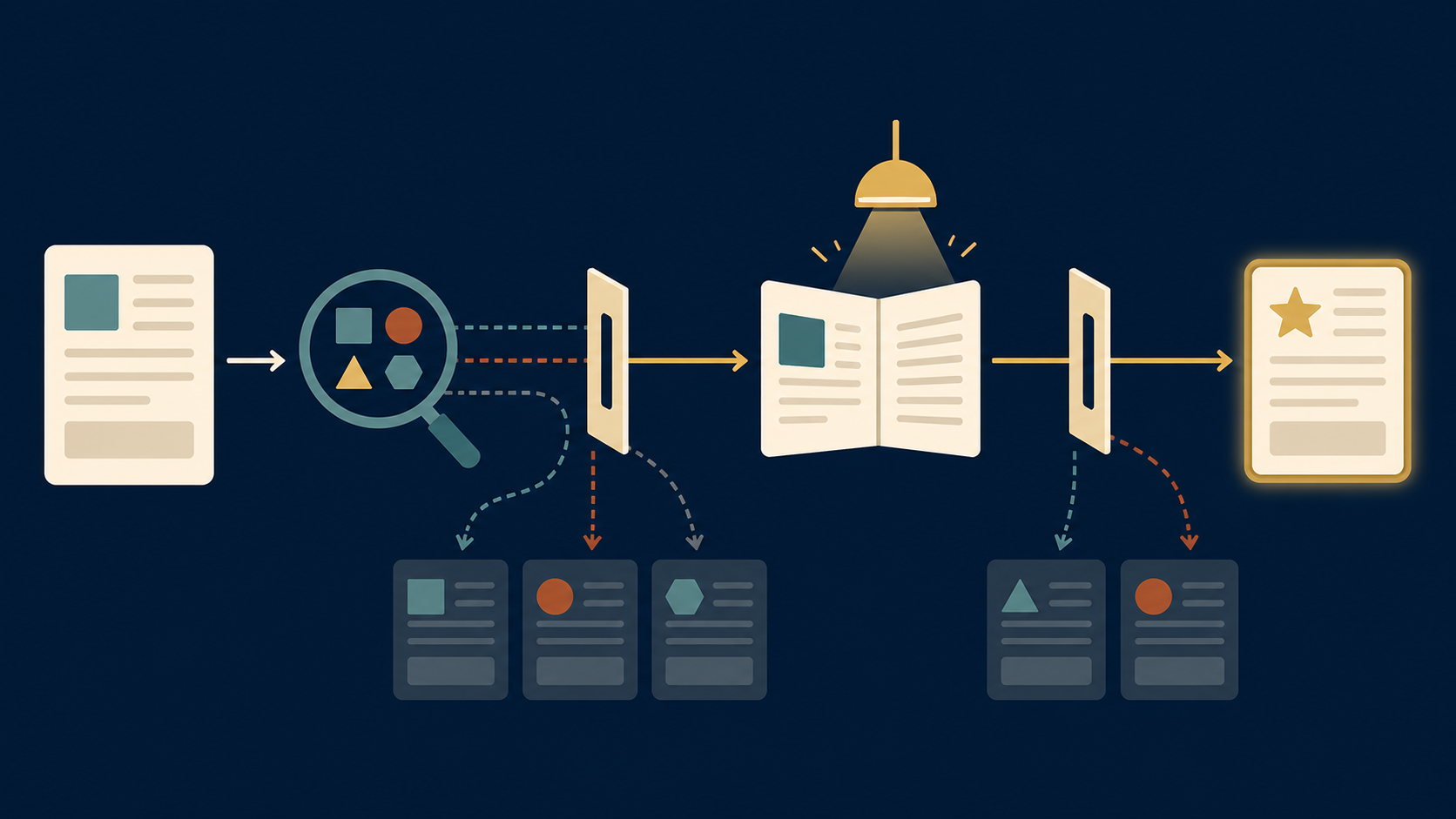
The two gates between a page and a citation
Think of an AI answer as a short research task.
The system finds possible sources. At that point, it may have a page title, a short snippet, a URL, and other retrieval details. It does not necessarily read every candidate in full. It needs a reason to spend more attention on one page instead of another.
That is gate one: selection.
If the page is opened, its content then has to help answer the actual question. A vague introduction, unsupported claim, or buried definition can still lose the page at this stage.
That is gate two: usefulness.
Many teams focus only on gate two. They add another 2,000 words, another FAQ, or another set of headings. But a page with an unclear title and a vague search snippet may never earn the chance to show its strongest section.
The practical fix is not to write for a robot. It is to make the page easier for any reader—or retrieval system—to understand quickly.
Signal 1: Use a title that answers a real question
Weak titles make the reader work too hard.
“A Better Way to Plan Content” may sound polished, but it hides the subject, audience, and outcome. A person searching for a content calendar does not know whether the page is for a solo creator, a SaaS team, or a media company.
Try a title that names the decision or job instead:
- “How to Build a Two-Week Content Calendar for a One-Person SaaS Team”
- “Content Calendar Template: Plan Four Articles From One Customer Problem”
You do not need to force every keyword into the title. You do need to make the promise clear. A strong title tells the reader what the page will help them do and who it is for.
A five-minute title test
Read your title without looking at the page. Can someone answer these three questions?
1. What problem does this solve? 2. Who is it for? 3. What kind of answer will I get: a guide, a comparison, a case study, or a definition?
If one answer is missing, revise before adding more content below the fold.
Signal 2: Put the direct answer near the top
The first paragraph should do more than introduce the topic. It should provide a useful orientation.
If the page answers “What is content decay?”, say what it is in plain language within the first few sentences. If it compares two tools, state the main difference early. If it is a case study, identify the decision, the result, and the important limit before telling the long story.
This does not mean every article needs a dry definition. It means the reader should not have to scroll through a personal anecdote before learning why the page matters.
Here is a simple opening pattern:
> Direct answer: one or two sentences that answer the main question. > Context: why the answer matters now. > Scope: what the page will and will not cover.
For example:
> A content refresh is an update to an existing page that improves its accuracy, usefulness, or match with search intent. It is not just changing the publication date. This guide shows how a small team can choose refresh candidates without rewriting every old article.
That opening is easy to scan, useful on its own, and honest about the page’s scope.
Signal 3: Make the URL readable before it is clever
A clean URL helps people understand what they are about to open. It also gives a retrieval system one more plain-language clue about the topic.
Compare these two paths:
- `example.com/p=4817`
- `example.com/content-refresh-checklist.html`
The second path is not magic. It will not rescue a weak article. But it matches the title, signals the topic, and is easier to share or recognise later.
Use a short descriptive slug. Remove filler words. Keep the important subject intact. Do not change a published URL just to make it prettier; redirects and existing links are more valuable than cosmetic tidiness.
For a new article, this is usually enough:
`/chatgpt-citation-gap.html`
The slug names the idea without trying to repeat every phrase in the title.
Signal 4: Give the answer evidence it can stand on
Selection may start with a title and snippet. Citation still needs something worth citing.
This is where generic pages tend to lose. They repeat familiar advice, use large claims with no source, and give the reader no reason to choose them over ten similar pages.
Before publishing, ask four questions:
- Does the page contain a clear claim, not just a collection of tips?
- Can a reader see where an important number or fact came from?
- Is there a real example, process, result, or limitation?
- Does the page answer a follow-up question a thoughtful reader would ask?
Evidence does not always mean a giant data study. It can be a carefully described customer pattern, a documented product experiment, a sourced public dataset, or a transparent case breakdown. What matters is that the reader can tell the difference between an observation and an opinion.
For this page, the 50% figure is useful because it creates a question: why are some retrieved pages not cited? The answer is not “use a trick.” It is to make the page’s promise, answer, and proof easier to understand.
Run a 20-minute citation-readiness audit
Choose one existing article that already has a clear business purpose. Do not start with a page that has no audience or no useful insight.
| Minutes | Check | Improve if needed |
|---|---|---|
| 0–5 | Title and meta description | Name the question, reader, and result plainly. |
| 5–10 | First 150 words | Add a direct answer, context, and scope. |
| 10–15 | URL and headings | Use readable terms that match the page’s real subject. |
| 15–20 | Evidence and limits | Add a source, example, or stated boundary for the main claim. |
Then leave the page alone long enough to measure it. Watch search impressions, qualified visits, and whether people use the page in conversations. Do not confuse a quick rewrite with proof that the strategy worked.
What this does not mean
It does not mean writing every article as a miniature answer box. Some topics need a story, a detailed walkthrough, or a nuanced comparison.
It also does not mean that an AI system sees every page exactly as a browser does. AI search changes quickly, and the Ahrefs study examines one data set and one point in time. Its findings are useful direction, not a permanent ranking rule.
Most importantly, it does not replace ordinary SEO. Ahrefs found that its general search retrieval category drove the overwhelming majority of citations in the sample. Pages still need to be crawlable, useful, relevant, and discoverable through conventional search.
The small next move
Pick the article on your site that already helps the right reader but has a vague promise. Rewrite the title. Add a direct answer near the top. Check the evidence behind its largest claim.
You may not earn a citation tomorrow. You will make the page better for the people who find it today—and that is still the most reliable starting point.
Quick checklist
- Make the title describe a real reader question.
- State the answer and scope in the opening.
- Use a short, readable URL for new pages.
- Add evidence or a concrete example for the central claim.
- State meaningful limits instead of making an AEO guarantee.
Source: Why ChatGPT Cites One Page Over Another (Ahrefs, study of 1.4M prompts).